

BISP 8171 Payment SMS Delay. The Benazir Income Support Program is one of Pakistan’s most crucial social safety nets, designed to support low-income families with timely financial assistance. Every month, thousands of beneficiaries rely on BISP 8171 payment SMS notifications to receive updates about their cash disbursements. However, many recipients face delays in receiving these SMS alerts, creating confusion and anxiety about whether their funds have been processed.
Agar aapka SMS abhi tak nahi aya, tou fikar na karein.
Understanding BISP 8171 Payment SMS Delays
BISP payment SMS alerts are sent to beneficiaries via 8171 short code to inform them that their cash transfer has been successfully processed. These SMS notifications are linked to the beneficiary’s CNIC number and the registered mobile phone number. Delays in SMS delivery can occur due to various reasons:
- Network congestion in mobile service providers
- Incorrect or outdated mobile numbers registered with BISP
- Technical issues on BISP’s system during bulk SMS dispatch
- Bank or Easypaisa/Post Office processing delays
Understanding these factors can help beneficiaries take proactive measures to reduce the impact of SMS delays.
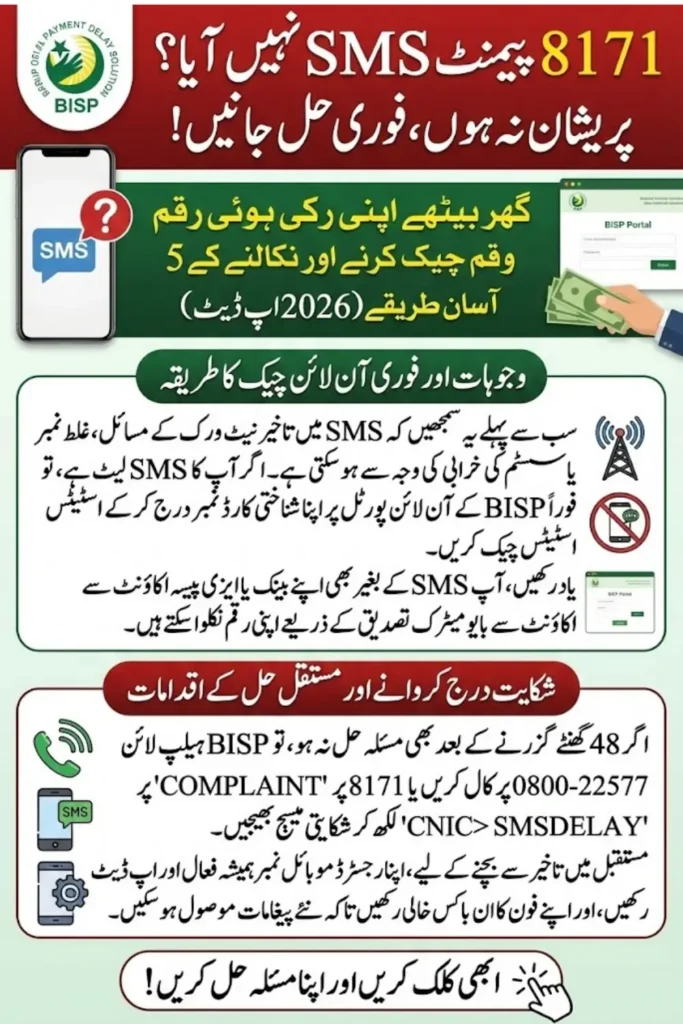
Step-by-Step Guide to Resolve 8171 Payment SMS Delays
Here’s a complete step-by-step guide for beneficiaries facing delays:
Step 1: Verify Your Registered Mobile Number
Ensure your mobile number linked with your CNIC is active and correct. You can do this by:
- Visiting the nearest BISP field office
- Calling BISP helpline 0800-22577 for confirmation
Step 2: Check Your Payment Status Online
BISP provides an online portal where beneficiaries can check payment status:
- Go to the official BISP website
- Click on “Check Payment Status”
- Enter your CNIC number without dashes
- Press Submit to see the latest payment update
This step is essential to confirm that the payment has been processed, even if the SMS has not arrived.
Step 3: Contact Your Mobile Operator
Sometimes, delays are due to network issues:
- Contact your mobile service provider (Jazz, Telenor, Zong, Ufone)
- Ask them to check 8171 short code SMS delivery logs
Step 4: Verify With Your Bank or Easypaisa Account
If your SMS is delayed but funds are credited:
- Log into your Easypaisa account or Bank account linked with BISP
- Check for recent deposits from BISP
- Keep a payment receipt screenshot for reference
Step 5: Report Delays to BISP
If you still haven’t received the SMS after 48 hours:
- Call BISP helpline 0800-22577
Send a complaint via SMS to 8171 using the format:
COMPLAINT <space> CNIC <space> ISSUE
Example: COMPLAINT 1234512345671 SMSDELAY
- Visit your local BISP office with CNIC and registered mobile number for in-person assistance
Common Reasons for SMS Delays
Understanding why SMS delays happen can save you unnecessary worry. Here are the most common causes:
| Reason | Details |
| Network Congestion | High traffic on mobile networks can delay SMS delivery |
| Incorrect Mobile Number | SMS cannot be delivered if the registered number is invalid |
| System Maintenance | BISP or partner bank systems may undergo maintenance |
| Bulk Processing Delays | Large-scale SMS dispatch may take extra time |
| Mobile Device Issues | Phone settings, SMS inbox full, or Do Not Disturb mode can block alerts |
Tips to Ensure Timely SMS Notifications
- Always keep your mobile number updated with BISP
- Register a primary and backup number if possible
- Clear your SMS inbox regularly to avoid storage issues
- Ensure your phone is on and has network signal during BISP disbursement days
- Subscribe to BISP notifications via Easypaisa or bank alerts as a backup
FAQs About BISP 8171 Payment SMS Delays
1. Why haven’t I received my BISP 8171 SMS yet?
There could be network delays, incorrect mobile registration, or processing delays. Verify your number and check payment status online.
2. Can I still withdraw my BISP payment without the SMS?
Yes, you can visit your bank or Easypaisa account and withdraw funds using your CNIC. SMS is just a notification, not a requirement for withdrawal.
3. How long does it take for BISP SMS to arrive?
Typically, SMS notifications are sent within 24–48 hours of payment processing. In bulk disbursement months, delays of up to 72 hours may occur.
4. Who should I contact if SMS delay continues?
Contact BISP helpline 0800-22577 or visit the nearest BISP office with your CNIC and payment details.
Conclusion
BISP 8171 payment SMS delays are common but manageable. By following the steps above, beneficiaries can ensure timely access to their funds, confirm payment status, and resolve any issues efficiently. Always keep your mobile number updated and maintain communication with BISP helpline to avoid unnecessary delays.